 Skip to content



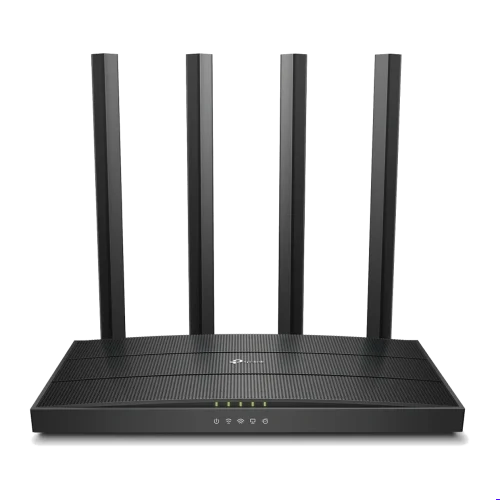
AC1900 Dual-Band Speed
Up to 1300 Mbps on 5 GHz and 600 Mbps on 2.4 GHz give this router the headroom for 4K streaming, online gaming and large downloads at the same time.
It makes full use of faster fibre packages that a basic ISP router struggles to deliver over Wi-Fi.


MU-MIMO for Many Devices
MU-MIMO lets the router talk to several devices at once instead of taking turns, so speeds stay steady when the whole family or team is online.
Beamforming points the signal toward each connected device for stronger, more reliable connections across the house or office.
Gigabit Wired Ports
Gigabit WAN and LAN ports carry full fibre speeds to wired computers, smart TVs, consoles and network storage.
Wired devices get the lowest lag and most consistent speed, which matters for gaming, video editing and file transfers.


Simple Control
Set up and manage the router from your phone with the Tether app: change the password, see who is connected and block unknown devices.
Guest Wi-Fi and parental controls are built in, so visitors and children get access on your terms.
Technical Specifications
| Specification | Details |
|---|---|
| Wi-Fi standard | Wi-Fi 5 (802.11ac) dual band |
| Wi-Fi speed | Up to 1300 Mbps (5 GHz) + 600 Mbps (2.4 GHz) |
| Technologies | MU-MIMO, beamforming |
| Ports | Gigabit WAN + gigabit LAN |
| Security | WPA/WPA2, guest network, parental controls |
| Management | TP-Link Tether app or web browser |
Ideal For
The TP-Link AC1900 MU-MIMO Router is suitable for:
- Homes on fast fibre
- Families with many devices
- Gamers and streamers
- Small and home offices
- Shared houses and hostels
It is built for households and offices where many people stream, work and play online at once.
Why Choose the TP-Link AC1900 MU-MIMO Router?
It combines high dual-band speed, MU-MIMO and gigabit ports, so it keeps up with fast fibre and lots of devices at a fair price.
FAQs
What does MU-MIMO do?▾
It lets the router send data to several devices simultaneously, keeping speeds up on busy networks.
Will it work with my fibre provider?▾
Yes. Connect it to your fibre modem (ONT) with an Ethernet cable.
Are the ports gigabit?▾
Yes. The WAN and LAN ports run at up to 1000 Mbps.
Can I manage it from my phone?▾
Yes. Use the free TP-Link Tether app.
Does it support a SIM card?▾
No. It needs a wired internet connection such as fibre or cable.



Reviews
There are no reviews yet.